Your processor is working normally & is connected to the Sleeptracker-AI® Cloud.
Your processor is awaiting initial setup. In the app, go to Settings > Pair Smart Bed > Set up a new bed > Next, to pair with the processor.
Your processor is starting up. Please wait. The processor takes about 30 seconds to boot up after being powered on.
Your processor requires action to resume normal operation.
Your processor is updating its firmware. Please wait & DO NOT power off your processor until the update is complete. This may take several minutes.
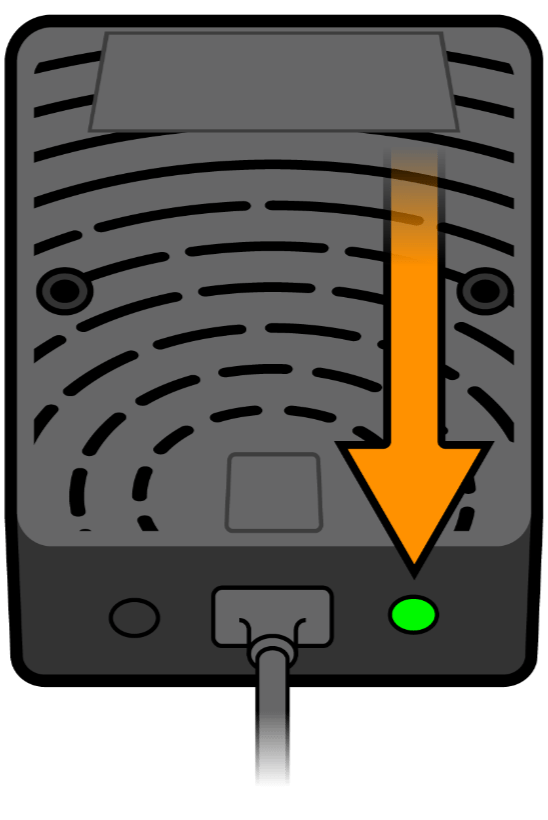
This is where the Status Light is located on the Sleeptracker-AI® Processor:
Having trouble telling the colors apart? See the Status Light Guide (Accessible Version), which identifies each light by its blink pattern.