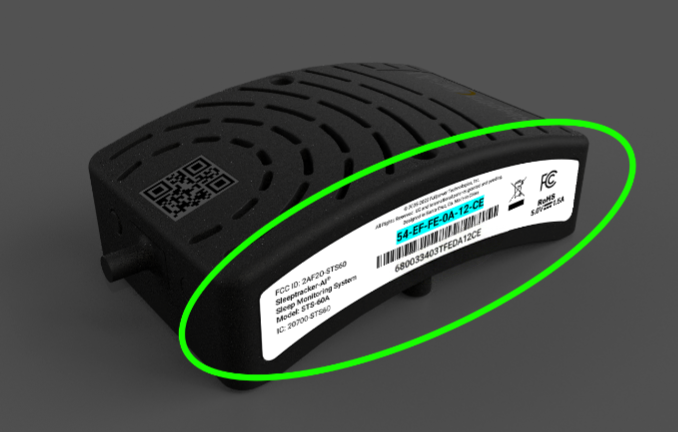
A "MAC Address" is a unique 12-character identifier that can be found on the processor.
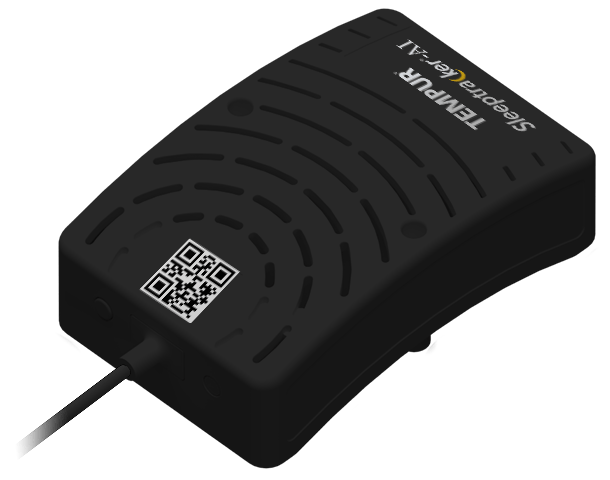
The processor is a small, arched black box, roughly the size of a deck of cards, and it looks like this:
1. Locate the Processor
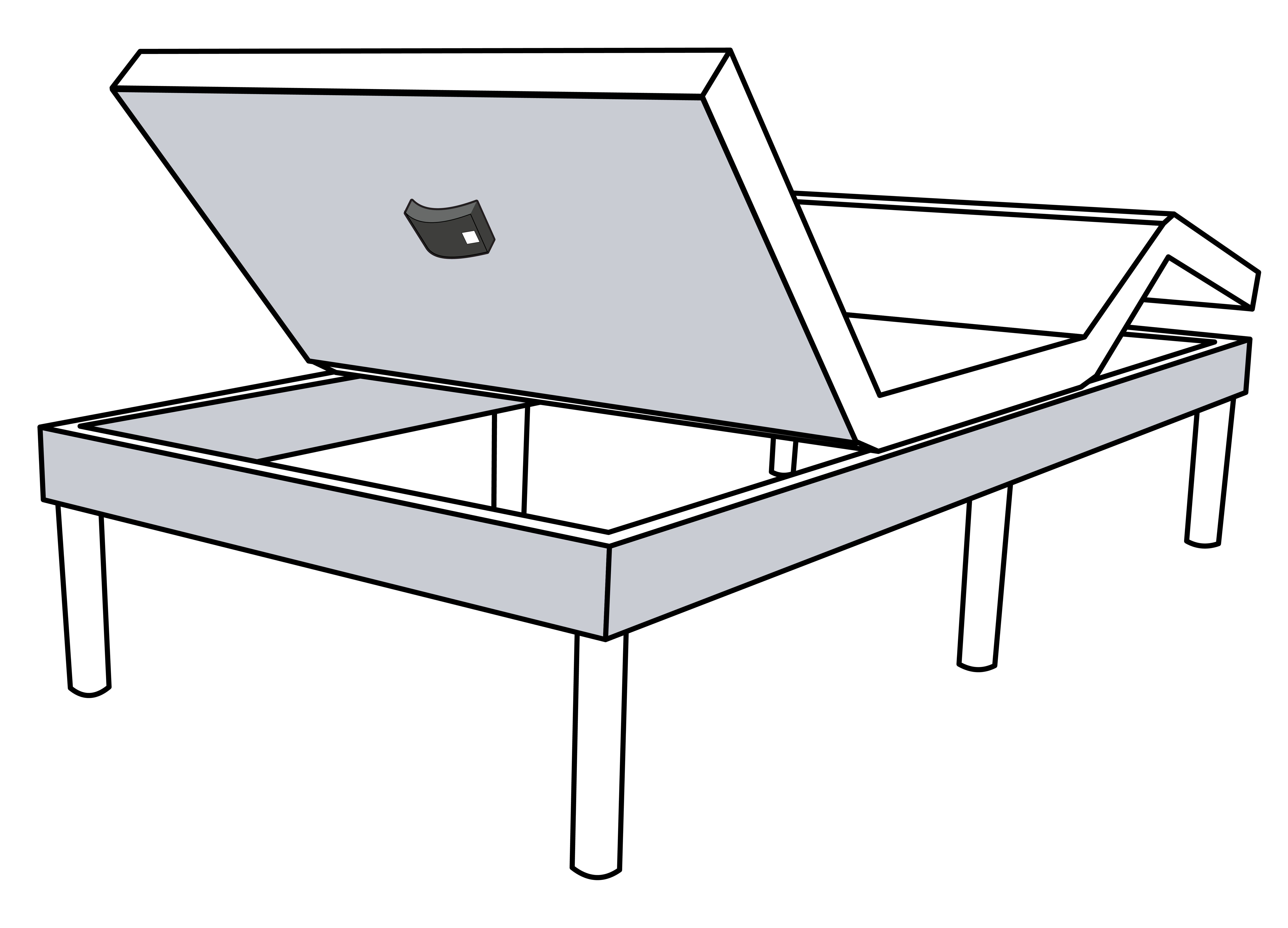
Typically, the processor is located under the head of the adjustable base, as shown below.
- Tip: Use your remote to raise the head of the bed for easier access.
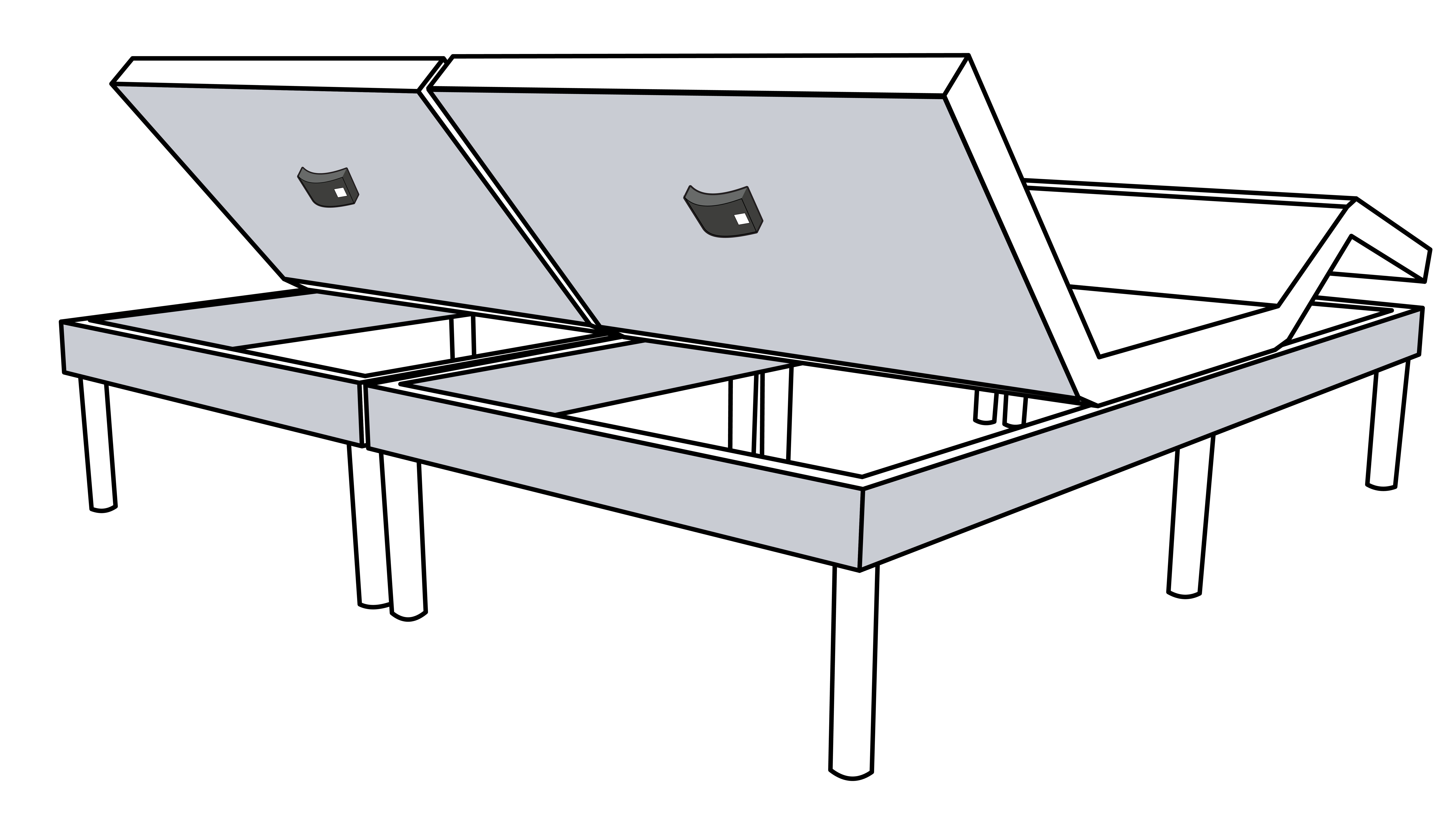
- Note: If your bed has two bases, each base will have its own processor.
2. Find the MAC Address
Once you have located the processor, find the curved white label on its side.
On the curved white label, look for a 12-character sequence with a dash after every two characters (for example, XX-XX-XX-XX-XX-XX). This is your processor's unique MAC Address.
- Note: In the image below, the MAC Address is highlighted in light blue. Every processor has its own unique MAC Address, so the characters on your label will be different from the ones shown here.