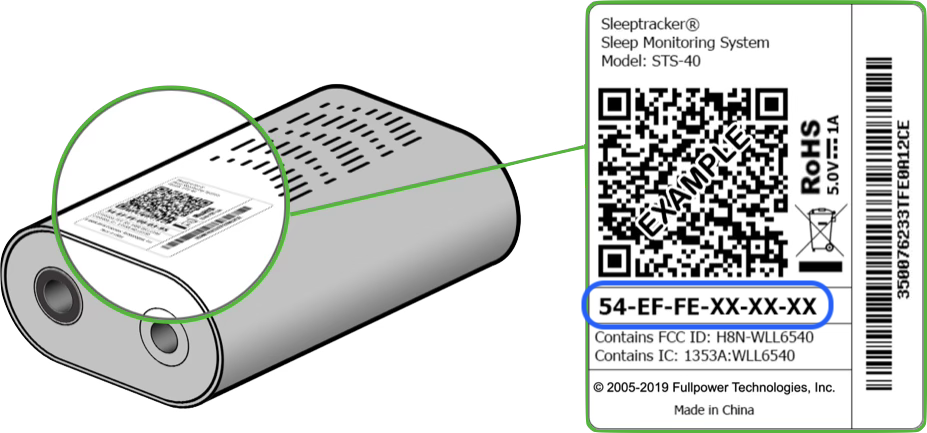
A "MAC Address" is a unique 12-character identifier that can be found on the processor.
The processor is a small white component, roughly the size of a deck of cards. It looks like this:
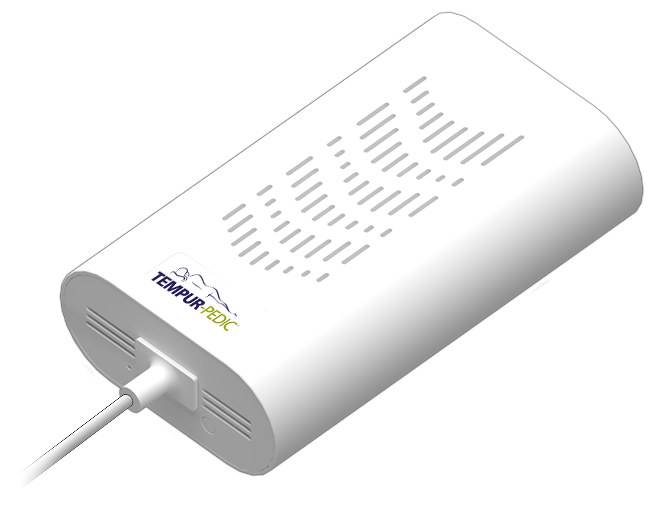
1. Locate the Processor
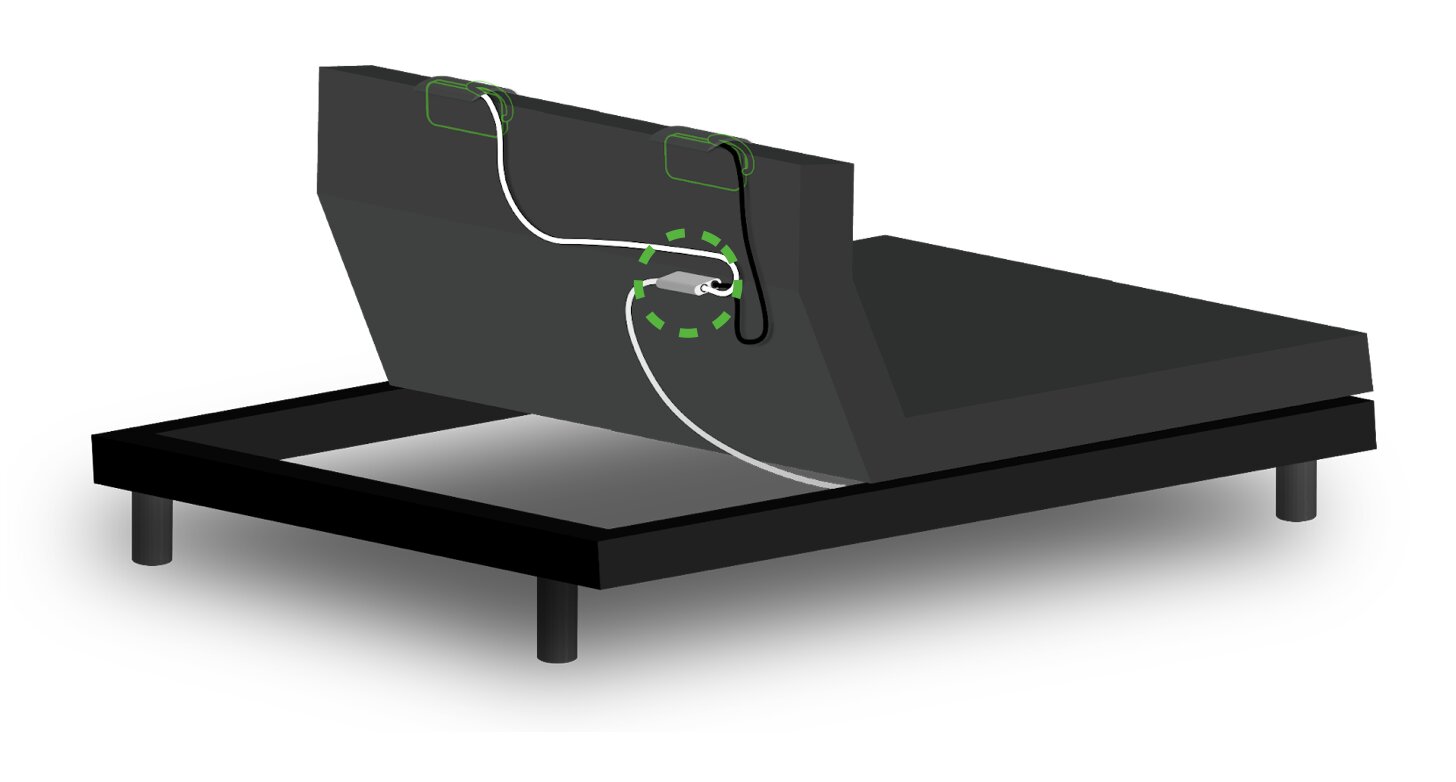
If your bed's Sleeptracker-AI system came pre-installed with your adjustable base, then the processor will be located under the head of the adjustable base, as shown below.
- Tip: Use your remote to raise the head of the bed for easier access.
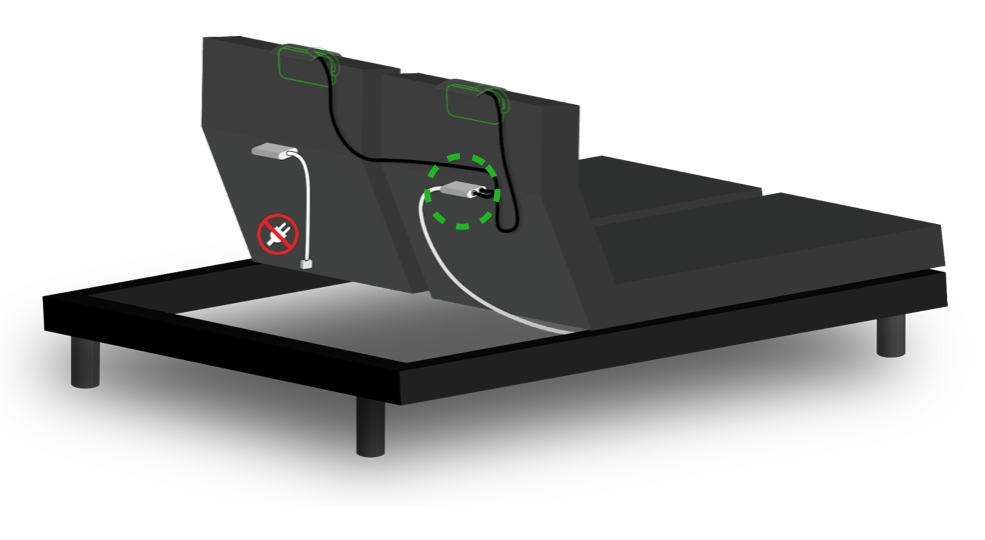
- Note: If your bed has two bases (as in a Split-King), each base will have its own processor. Only one processor should be used; the other processor should be unplugged.
2. Find the MAC Address
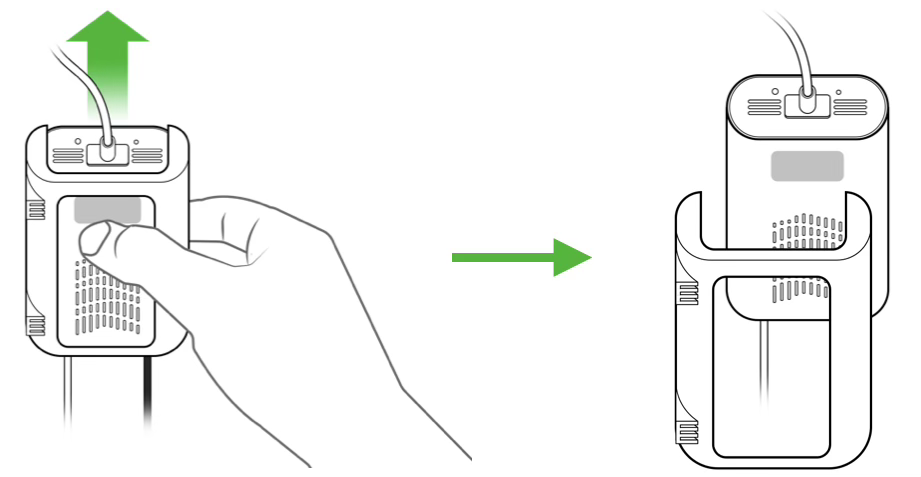
Once you have located the processor, find the label. If your processor's label is not visible, you might need to unmount your processor from its holster, in order to flip it over and find the label.
On the label, look for a 12-character sequence with a dash after every two characters (for example, XX-XX-XX-XX-XX-XX). This is your processor's unique MAC Address.
- Note: In the image below, the MAC Address is circled in blue. Every processor has its own unique MAC Address, so the characters on your label will be different from the ones shown here.